
Does Heat Affect WiFi? Exploring the Impact of Temperature on Your Wireless Network
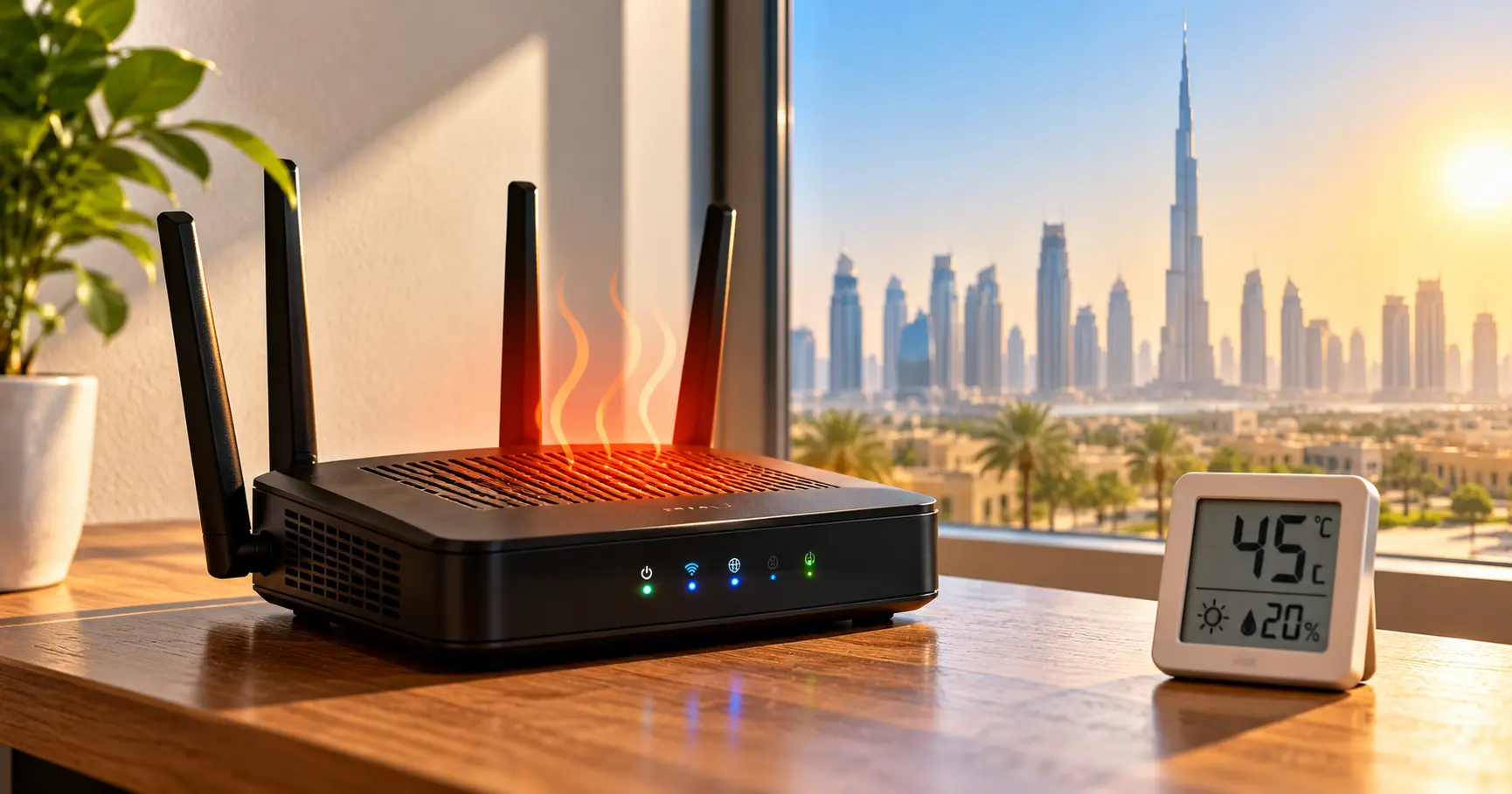
High ambient temperatures, direct solar exposure, and unventilated telecom cabinets can severely degrade your router performance, trigger thermal throttling, and cause random connection drops. Discover how extreme climate conditions impact wireless connectivity across Dubai and the UAE, and learn professional solutions to keep your internet fast, stable, and cool.
The Hidden Impact of Extreme Temperature on Wireless Connectivity
Have you ever noticed your WiFi becoming sluggish, unresponsive, or completely dropping out during the hottest months of the year? Summer weather across the Arabian Peninsula presents some of the harshest environmental operating conditions on earth for delicate consumer and commercial electronics. While home and office occupants rely heavily on central air conditioning to keep living spaces cool, the critical telecommunications hardware responsible for distributing internet signals is frequently relegated to unconditioned utility closets, enclosed electrical cupboards, sunny window ledges, or exterior terraces.
At WiFi Fixing, our team assists residential villas, luxury apartments, corporate offices, and commercial facilities throughout Dubai and the Northern Emirates in overcoming persistent connection drops and wireless slowdowns. Demystifying how thermal build-up impacts semiconductors, optical network terminals, access points, and power supplies allows property owners to take proactive steps to protect their network hardware. Maintaining proper ventilation, optimizing transceiver placement, and deploying temperature-resilient hardware components ensures that your household or business enjoys reliable, uninterrupted connectivity regardless of outdoor climate extremes.
Truthful technical evaluations reveal that temperature-induced network failures are among the most frequently misdiagnosed connectivity issues in the region. Consumers routinely blame internet service providers for bandwidth throttling when the actual culprit is a central routing engine suffering from acute thermal distress. Understanding the physical mechanics of electronics overheating empowers you to implement practical cooling solutions before irreversible hardware damage occurs.
How Does Heat Affect WiFi Performance? The Science Behind the Signal
Wireless signals propagate through the atmosphere via high-frequency electromagnetic radio waves. Ambient air temperature does not directly stop or absorb radio frequencies under typical domestic conditions. A wireless signal travels cleanly through warm air just as it does through cool air. The disruption you experience during hot weather stems almost entirely from the physical electronics tasked with generating, modulating, routing, and receiving those signals.
Contemporary wireless routers, optical fiber gateways, multi-gigabit switches, and distributed mesh access points are essentially specialized miniature computers. Modern networking gear contains sophisticated multi-core processors, dedicated radio frequency front-end chips, flash memory storage, and dynamic RAM. These microchips generate considerable internal thermal energy during standard calculations, especially when routing gigabit throughput across multiple concurrent streams.
Passive heatsinks and tiny convective air vents are standard features designed to dissipate this heat into the surrounding room. When the ambient temperature around the chassis climbs past safe operating limits, the temperature gradient between internal silicon and external air diminishes. The processor cannot shed thermal energy quickly enough, leading to heat accumulation inside the enclosure.
Thermal Saturation → Automatic Silicon Throttling → Packet Processing Queues Overflow → Bufferbloat & Latency Spikes → Sudden Kernel Panics & Hardware Reboots
To shield sensitive micro-circuitry from melting or suffering permanent physical breakdown, modern system-on-chip architectures engage emergency thermal throttling. Clock speeds drop drastically to reduce heat output, causing data processing capacity to collapse. What manifests to the end-user as poor internet speed is actually the router deliberately running at a fraction of its capability to avoid destruction.
Five Critical Ways High Temperatures Harm Your Wireless Infrastructure
Understanding the specific failure modes triggered by elevated heat levels helps property managers and homeowners spot equipment distress before it cascades into a total network outage.
Router Overheating & Kernel Panics
Enclosed cabinets, direct sun exposure, and dust-choked ventilation grills prevent natural convection. Operating beyond threshold limits forces the operating system to freeze, crash, or enter endless reboot loops while attempting to protect internal circuits.
Sluggish Throughput & Jitter
Thermal throttling limits network processing engines, causing bufferbloat, extreme latency spikes, and severe packet retransmission. Real-time applications like Zoom calls, VoIP phone systems, and gaming sessions experience severe lag and disconnects.
Accelerated Component Aging
Prolonged exposure to intense heat degrades electrolytic capacitors, hardens thermal compound paste, and stresses tiny solder micro-joints. Continuous thermal stress can reduce a router expected multi-year lifespan down to mere months.
Outdoor Hardware Vulnerability
Terrace and garden access points face punishing environmental conditions, including ambient temperatures exceeding 45°C, relentless UV rays, and desert dust layers that act as thermal blankets, causing premature transceiver breakdown.
Server Room & Panel Traps
Residential telecom panels and commercial server racks pack patch panels, PoE switches, and routers into tight unventilated spaces. Without dedicated exhaust venting, internal temperatures quickly reach dangerous levels.
Power Supply Unit Failure
External AC-DC power bricks generate considerable heat under normal operation. When trapped in carpeted corners or behind heavy furniture without airflow, power supplies deliver irregular voltage, causing router instability.
Diagnosing these thermal symptoms early prevents permanent hardware failure and costly downtime. Our certified technicians help you re-engineer placement, enhance cabinet ventilation, and deploy industrial-grade hardware designed to withstand intense conditions.
Does Dubai’s Hot Weather Affect WiFi? The UAE Climate Reality
Summers across Dubai, Abu Dhabi, and the wider UAE feature sustained daytime temperatures regularly climbing between 45°C and 50°C, paired with intense humidity along coastal areas. While interior rooms are typically cooled by central air conditioning systems, architectural building conventions often create hidden thermal traps for telecommunications equipment.
In many luxury villas and modern apartment towers, fiber optic cables terminate inside a small, metal or plastic distribution cupboard situated near the front entrance, under staircases, or inside unconditioned laundry rooms. These distribution enclosures rarely have dedicated air conditioning vents or active exhaust fans. When you place a fiber ONT, a primary gateway router, a network switch, and smart home automation hubs inside a sealed cupboard, ambient temperatures inside the cabinet can quickly exceed 60°C.
Practical Steps for Homes and Offices in the UAE
Relocate routers out of unventilated metal entrance cabinets and place them in climate-controlled living areas using clean Cat6 data extensions.
Keep network electronics well away from floor-to-ceiling windows, direct sunlight, and heat-radiating appliances.
Clear dust accumulation from ventilation grills every few months to prevent insulating dust blankets from trapping heat inside.
Avoid stacking modems, streaming boxes, and gaming consoles on top of each other, as stacked heat sources drastically raise component temperatures.
Deploy specialized IP67-rated exterior wireless hardware equipped with integrated sunshields and wide-temperature silicon for outdoor zones.
Vacation travel introduces another common problem for UAE residents. When families leave for extended holidays and turn off their central air conditioning to conserve energy, indoor ambient temperatures can climb past 42°C. Smart home devices, security cameras, and automated door locks continue requesting data, forcing the router to work hard in an uncooled environment. This sustained thermal stress can cause routers to freeze or fail while residents are away, leaving smart home automation systems completely offline.
How to Prevent Your WiFi Router from Overheating: Engineering Solutions
Preventing thermal overload is considerably more cost-effective than replacing damaged silicon or diagnosing intermittent connectivity dropouts. Our certified network technicians implement practical airflow and positioning strategies to maintain peak performance year-round.
Elevated Open-Air Positioning
Position your router on an elevated, solid, and flat surface with at least four to six inches of clear breathing space on all sides. Elevating the unit allows cooler ambient air to enter bottom vents and naturally draw warmth away from internal heatsinks.
Active Cabinet Ventilation
For central telecom enclosures that cannot be relocated, our engineers install ultra-quiet 120mm USB exhaust cooling fans. These active ventilation fans pull hot air out of the enclosure, creating constant airflow that lowers ambient cabinet temperatures significantly.
Thermal Heat Dissipation Mounts
Ceiling-mounted enterprise access points are engineered with die-cast aluminum backing plates that act as expansive heatsinks. Mounting access points to open drywall ceilings allows air conditioning airflow to cool the hardware continuously.
Commercial-Grade Hardware Selection
Consumer-grade plastic routers often struggle in unconditioned spaces like garages, outbuildings, or workshops. In demanding environments, we deploy enterprise access points with rated operating envelopes up to 60°C or 70°C.
A thorough site evaluation by WiFi Fixing can pinpoint whether your frequent connection drops stem from environmental overheating, radio frequency interference, physical obstructions, or ISP routing issues. Our team delivers clean, reliable installations that keep your hardware running within safe thermal limits.
Protecting Outdoor WiFi Equipment from Extreme Desert Heat
Entertaining guests outdoors around swimming pools, garden majlis areas, and pergolas is central to UAE lifestyle. However, placing a standard indoor wireless router near an open patio window provides weak coverage and exposes sensitive hardware to moisture and dust. Indoor equipment lacks UV-stabilized plastics, sealed gaskets, and the thermal tolerance needed to survive outdoor exposure.
Direct sunlight on an exposed dark surface can push external temperatures past 70°C during mid-summer. Standard electronic components rapidly fail under such intense conditions. When extending coverage to open-air zones, our technicians install commercial-grade, IP67 weatherproof outdoor access points built to handle dust storms, extreme humidity, and high ambient heat.
Best Practices for Outdoor Wireless Deployments
Install outdoor access points under shaded overhangs, eaves, or pergolas to shield them from direct solar radiation.
Use UV-resistant, shielded outdoor Cat6 cabling with drip loops to stop moisture and solar radiation from degrading your cable runs.
Power outdoor access points using remote Power over Ethernet switches located inside air-conditioned rooms, eliminating the need for exterior power supplies.
Choose equipment rated for wide operating temperatures, from -30°C up to 70°C, to ensure stable connectivity year-round.
Careful hardware selection and shaded positioning ensure your outdoor networks remain stable through the hottest summer days, delivering dependable connectivity across gardens, pool decks, and exterior guest annexes.
Serving All Over the UAE
Our team of professionals can assist you in setting up WiFi networks, resolving Wi-Fi issues, maintaining Wi-Fi, fixing Wi-Fi, and installing Wi-Fi in Dubai, Sharjah, Ajman, Umm Al Quwain, Ras Al Khaimah, Fujairah, Abu Dhabi, and nearby communities. Rapid mobile service units carry professional diagnostic equipment, thermal imaging tools, and replacement hardware directly to your property.
Dubai Communities Served: Mankhool, Business Bay, Jafliya, Bur Dubai, Downtown, Deira, Nad-al-Hamar, oud metha, Jumairah, Downtown Dubai, Nadd Hessa, Ras Al Khor, Umm Ramool, Al Safa, Silicon Oasis, Nad Al Sheba, The Villa, Arabian Ranches 2, Barsha Heights, Mira, Discovery Gardens, Al Qusais, Al Zahia, Industrial Area Sharjah, Al Sharq, Al Qadisiya, Bu Tina, Al Jazzat, rashidiya, Garhoud, Al Nahda, al rigga, Meydan, Falconcity, Dubai Hills, Meydan South Villas, Liwan, DAMAC Hills, Triangle, Marina, Springs, Arabian Ranches, Barsha, T Com, Motor City, Greens, Al Awir, Palm Jumairah, Al Jaddaf, Al Khawaneej, Karama, Al Rashidiya, Palm Jumeirah, Al Wasl, Umm Suqeim, Al Warqa’a, Burj Al Arab, Dubai Investments Park, Jumairah Lake Towers – JLT, Discovery Garden, JLT, Jumairah Village Circle, JVC, Jumairah Village.
Sharjah Local Area Names: Al Zahia, Industrial Area Sharjah, Al Sharq, Al Qadisiya, Bu Tina, Al Jazzat, Al Majaz, Al Qasimia, Muwaileh, Al Rahmaniya, Al Suyoh, Al Khan, Rolla, and neighboring districts.
Abu Dhabi Local Area Names: Al Reem Island, Saadiyat Island, Yas Island, Al Raha Beach, Khalifa City, Mohammed Bin Zayed City, Al Bateen, Al Mushrif, Al Khalidiya, Mussafah, and nearby commercial zones.
Ajman Local Area Names: Al Nuaimiya, Al Rashidiya, Al Mowaihat, Al Jurf, Al Rawda, Al Rumailah, and Emirates City.
Umm Al Quwain, Ras Al Khaimah & Fujairah: Al Salamah, UAQ Marina, Al Hamra Village, Mina Al Arab, Al Nakheel RAK, Khuzam, Al Faseel, Fujairah Waterfront, and surrounding residential communities near Me.
All Brands We Support
We work with almost every popular router and WiFi system available in the UAE market:
Google Nest WiFi
Fortinet
SonicWall
ASUS
D‑Link
Linksys
Tenda
Ruijie
Huawei
Apple
Buffalo
EnGenius
DrayTek
Xiaomi
TP‑Link
Cisco
MikroTik
Edimax
Ruckus
Belkin
Ubiquiti
Helpful Resources & Guides
Reliable Connectivity Experts
Wi-Fi Support Dubai
Ubiquiti Installation & Maintenance
Ruijie WiFi Configuration
UniFi Controller Support
TP-Link Omada Controller
TP-Link WiFi Dubai
TP-Link Deco Mesh Setup
ASUS AiMesh Dubai
Ruijie Cloud Controller
Grandstream WiFi Installation
ASUS Gaming Router Setup
Ubiquiti UniFi Systems
Netgear Orbi Installation
Managed Service Provider IT
Area Services & Local On-Site Support
WiFi Installation Bur Dubai
WiFi Team JAFZA
WiFi Installation Palm Jebel Ali
WiFi Service Al Qusais
WiFi Installation Al Nahda
WiFi Installation Mirdif
WiFi Installation Muhaisnah
WiFi Installation Al Twar
WiFi Service Deira Dubai
WiFi Installation Al Furjan
WiFi Silicon Oasis
Villa Full WiFi Coverage
WiFi Service Motor City
WiFi Sports City
Specialized Wireless & Network Services
Expert Support Beyond Installation and Delivery
Maintaining reliable network performance throughout extreme summer weather requires continuous post-installation care. Our senior network engineers provide ongoing firmware audits, thermal inspections, automated failover management, and immediate on-site technical assistance across all UAE communities.
Verified Customer Reviews
“Quickly fixed our Network issues, switch price also very affordable, thank wifi team”
— Sajeesh Mecheri
“Best service and professional approach, solved my issues in a short time”
— Saji Sasidharan
“They supported my ip telephone issues, quick support, affordable price”
— Abdul Bari
“Thank you ,nice wifi service , quick response”
— Zeeshan Ali
“I was having some network issues and with there help the fixed it immediately”
— Alaa
“Quick and fast wifi installation and service”
— hysham
“Thank you, affordable price and quality work”
— Muhammed Rinshid
Frequently Asked Questions About Heat & WiFi Networks
Does heat affect WiFi speed?
High heat does not degrade airborne radio waves directly, but it forces your router CPU and radio transmitters into aggressive thermal throttling. When internal hardware overheats, the processor slows down clock frequencies to prevent physical failure, causing packet queuing delays, bufferbloat, and severe throughput drops.
Can hot weather damage a WiFi router?
Continuous thermal stress accelerates the drying out of internal electrolytic capacitors, weakens tiny micro-solder connections, and dries out heatsink thermal compound. Operating your networking equipment in unconditioned spaces over several hot summer months will significantly shorten the functional lifespan of the unit.
What causes a router to overheat?
Common causes include placement in direct sun exposure, trapped installation inside enclosed metal telecom cupboards, dust blocking passive ventilation holes, stacking several hot electronic devices together, and high ambient room temperatures when air conditioning is turned off during holidays.
How do I stop my WiFi router from overheating?
Relocate the router to an open, elevated shelf with at least four inches of ventilation space on all sides in a room cooled by air conditioning. Keep vents free of dust, install active USB cooling fans if housing gear inside a distribution cabinet, and never place devices directly near windows or warm appliances.
Does air conditioning improve WiFi performance?
Air conditioning maintains ambient room temperatures within standard manufacturer operating envelopes (typically 0°C to 40°C for consumer gear). While cold air does not change radio frequencies, it keeps processing chips running at peak clock speeds without thermal throttling, delivering stable speeds and lower latency.
Why does my WiFi disconnect in hot weather?
Excessive internal heat triggers built-in safety reboot thresholds on router motherboards. When internal silicon approaches critical temperatures, the system initiates an emergency restart or drops connected clients to cool down, causing temporary disconnects during video calls or streaming sessions.
Can a WiFi technician fix router overheating problems?
Yes, certified technicians from WiFi Fixing inspect your installation with thermal imaging cameras, re-terminate wiring, extend Cat6 cabling out of hot utility cupboards, install ducted active ventilation in cabinets, and set up heat-tolerant commercial access points designed for demanding environments.
What temperature is too hot for a WiFi router?
Standard indoor consumer routers are rated for ambient environments between 0°C and 40°C (104°F). Operating in ambient air higher than 40°C quickly causes internal chip temperatures to exceed 85°C, triggering thermal throttling and performance instability. Commercial outdoor equipment operates safely up to 60°C or 70°C.
Should I turn off my router when it gets hot?
Shutting the device down temporarily allows components to cool, but this does not address the underlying ventilation or placement problem. First ensure the unit has ample airflow and is away from direct sunlight. If overheating persists, request a professional diagnostic site visit.
Does WiFi Fixing provide WiFi troubleshooting in Dubai?
WiFi Fixing offers complete on-site diagnostic testing, thermal inspection, router relocation, access point installation, and network optimization across residential villas, apartments, and commercial facilities throughout Dubai and neighboring Emirates.
Top Searches
Does hot weather affect WiFi • WiFi router overheating • Router overheating solutions • WiFi problems in hot weather • WiFi disconnecting in summer • How to prevent router overheating • Router ventilation tips • WiFi troubleshooting Dubai • WiFi installation Dubai • Improve WiFi reliability in Dubai • Why does my WiFi disconnect when it is hot? • How to stop a WiFi router from overheating • Best place to put a WiFi router in summer • Does direct sunlight affect a WiFi router? • How to protect outdoor WiFi equipment from heat • wifi installation • wifi setup • netgear wifi extender setup • install wifi at home near Me.
Knowledge & Resources
Contact WiFi Fixing for Reliable WiFi Connectivity
Don’t let recurring WiFi problems interrupt your work or daily activities. From router placement and network setup to wireless coverage improvements, WiFi Fixing can help you explore practical solutions for your home or business.